Take photos for an inspection
For store staff. Your phone walks you through every photo.
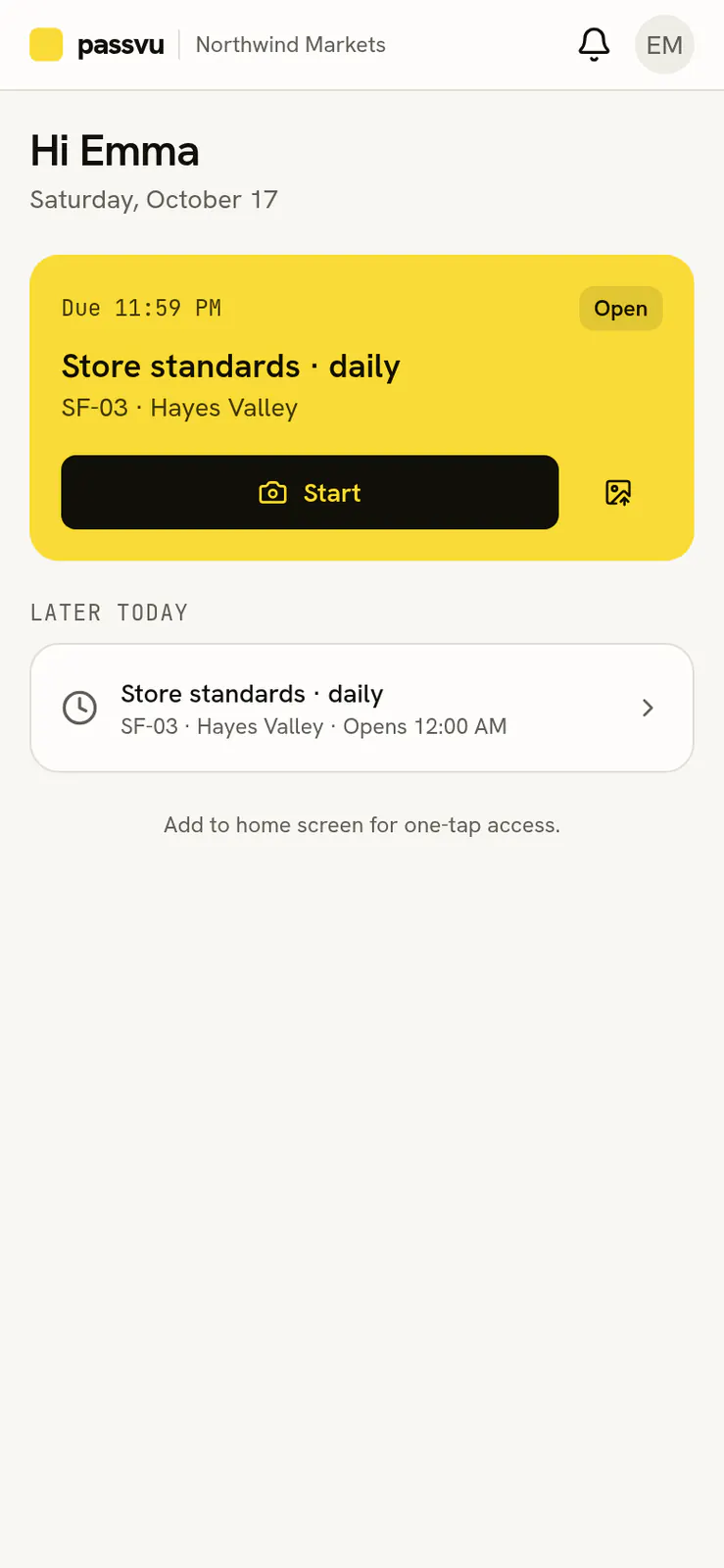
Open Passvu on your phone and tap Capture. You'll see today's inspections for your store.
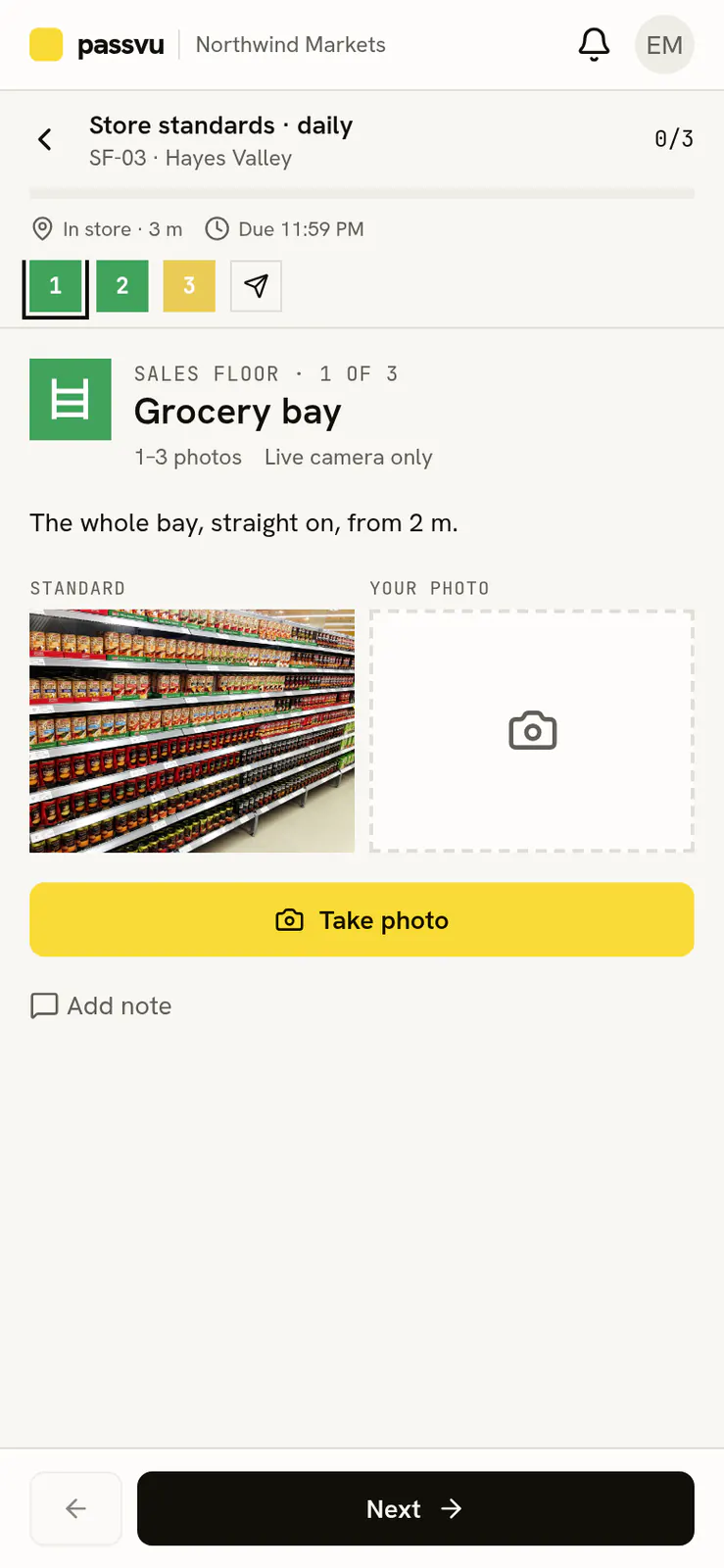
- 1How far along you are
- 2At the store, and when it is due
- 3How it should look
- 4Open the camera
Tap Start
Passvu shows one spot at a time, with a short instruction and an example photo.
Take the photo
Match the example as closely as you can. Passvu checks it in a few seconds.
Retake if asked
If the photo is too dark, blurry or the wrong spot, you'll see a message. Retake it, or keep it and add a note.
Check and submit
You'll see all your photos. Tap Submit. Results come back in about a minute.
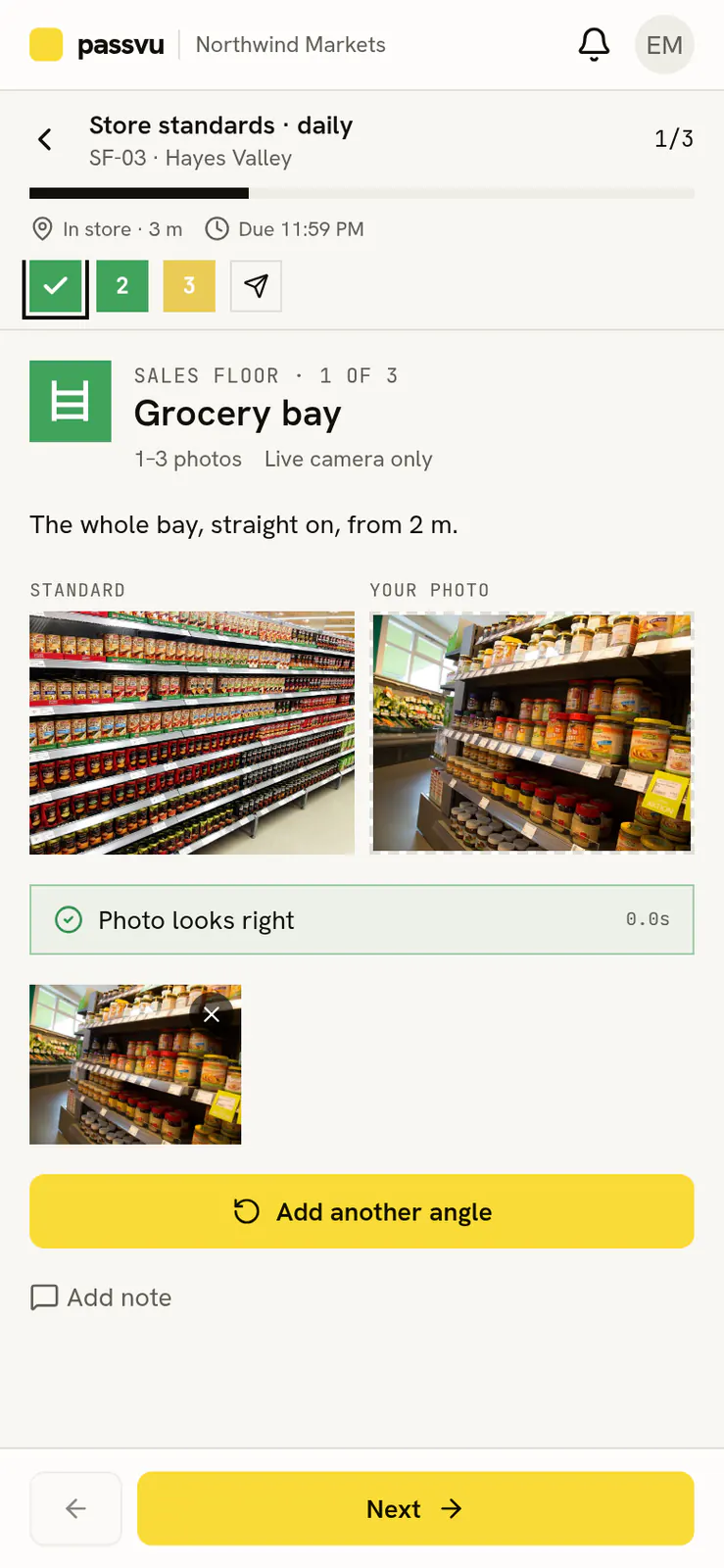
- 1Your photo
- 2Quick check passed
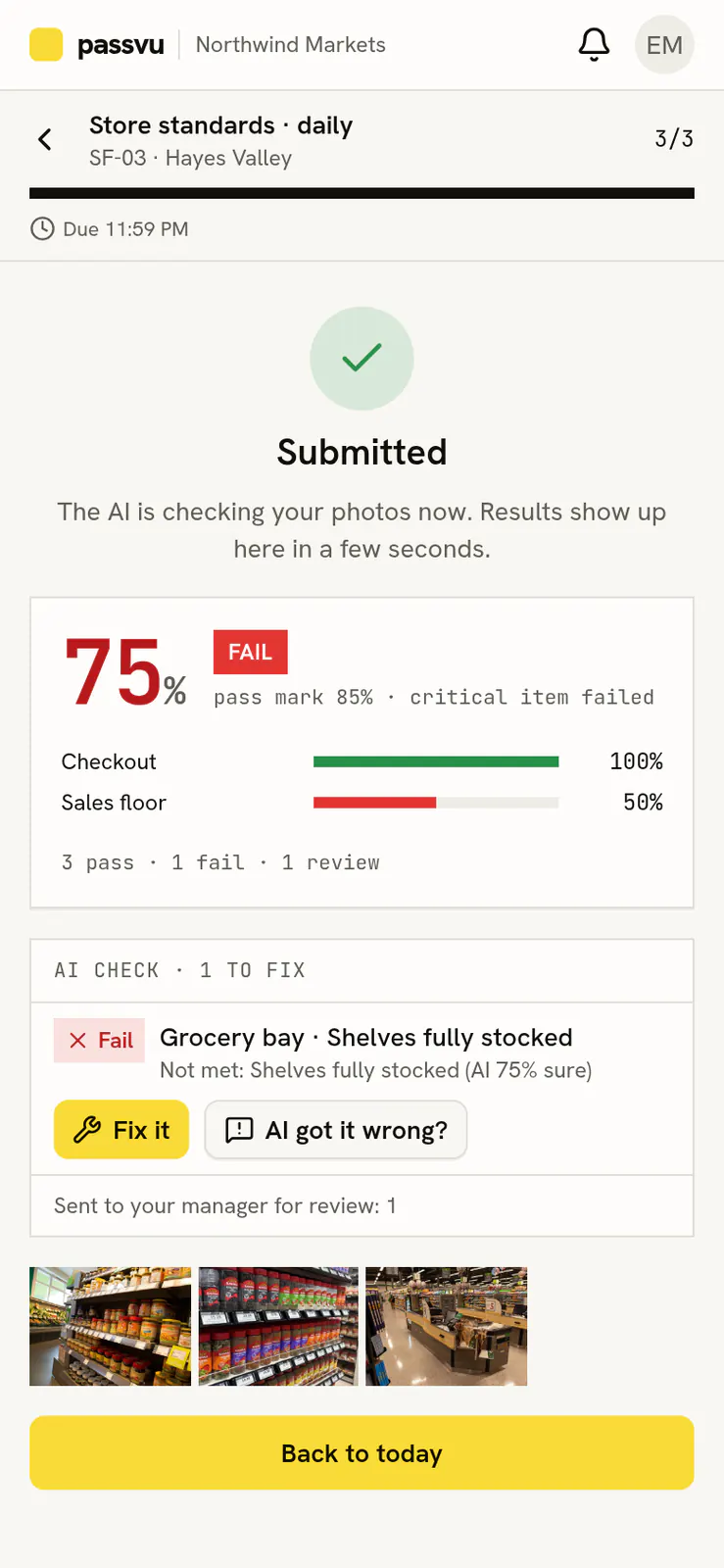
- 1Something to fix, and why
- 2Think it is wrong? Tell your manager
- 3Fix it now
Tips for good photos
Take photos live, in the store, during the inspection window. Hold the phone steady and step back so the whole area fits.
Last updated on