Review flagged photos
Passvu scores most photos on its own. You only check the unclear ones.
How Passvu checks photos
After staff submit, Passvu compares each photo with your example photos and answers each question. Most results are clear, so they're scored right away. When Passvu isn't sure, it asks a person: that's you.
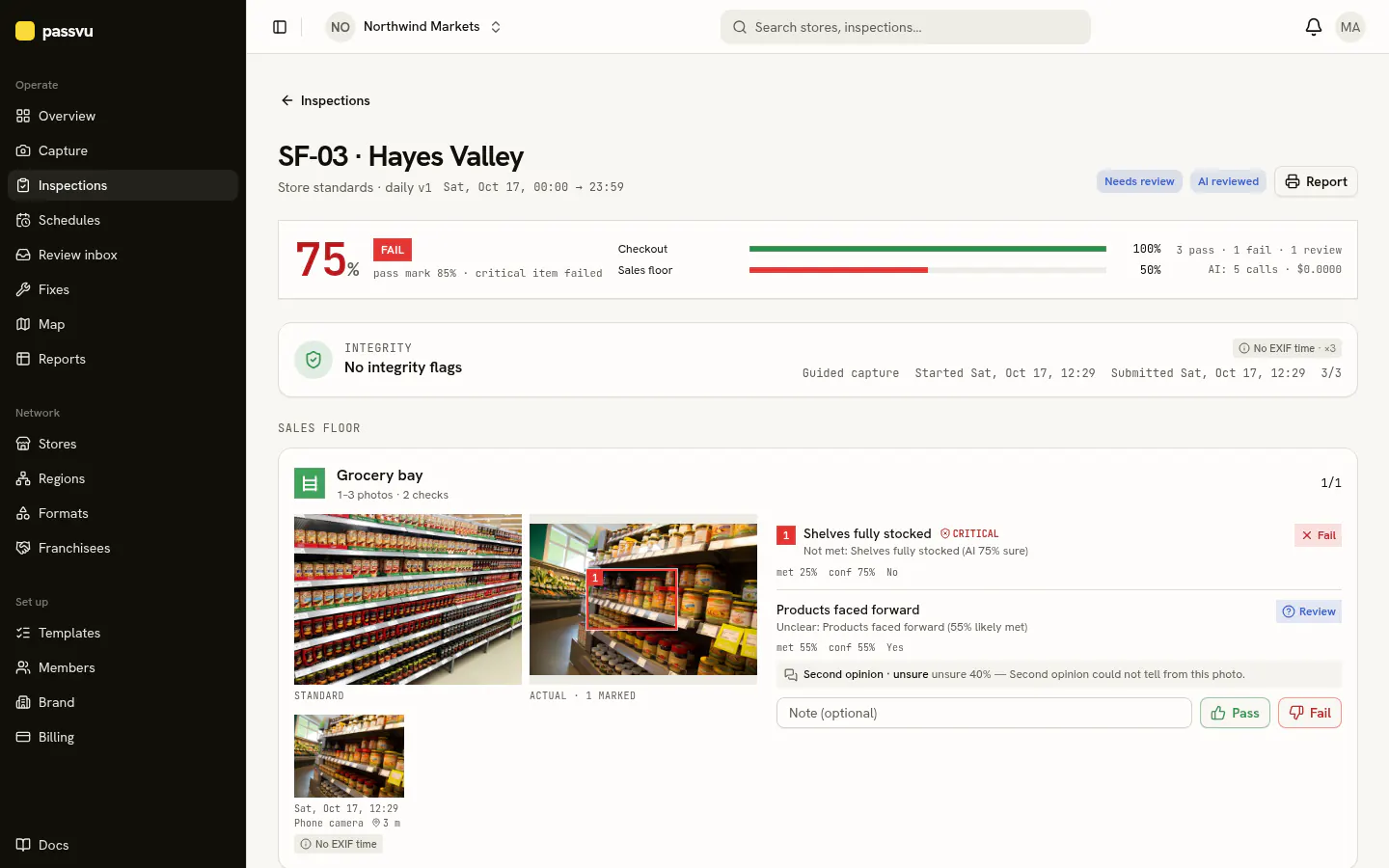
- 1Score. A critical fail fails the inspection.
- 2Anything unusual about the photos
- 3The red box shows the problem
- 4Each question and the reason
- 5Pass or fail it yourself
Your review inbox
Open Review inbox. Each item shows the photo, the example and Passvu's best guess.
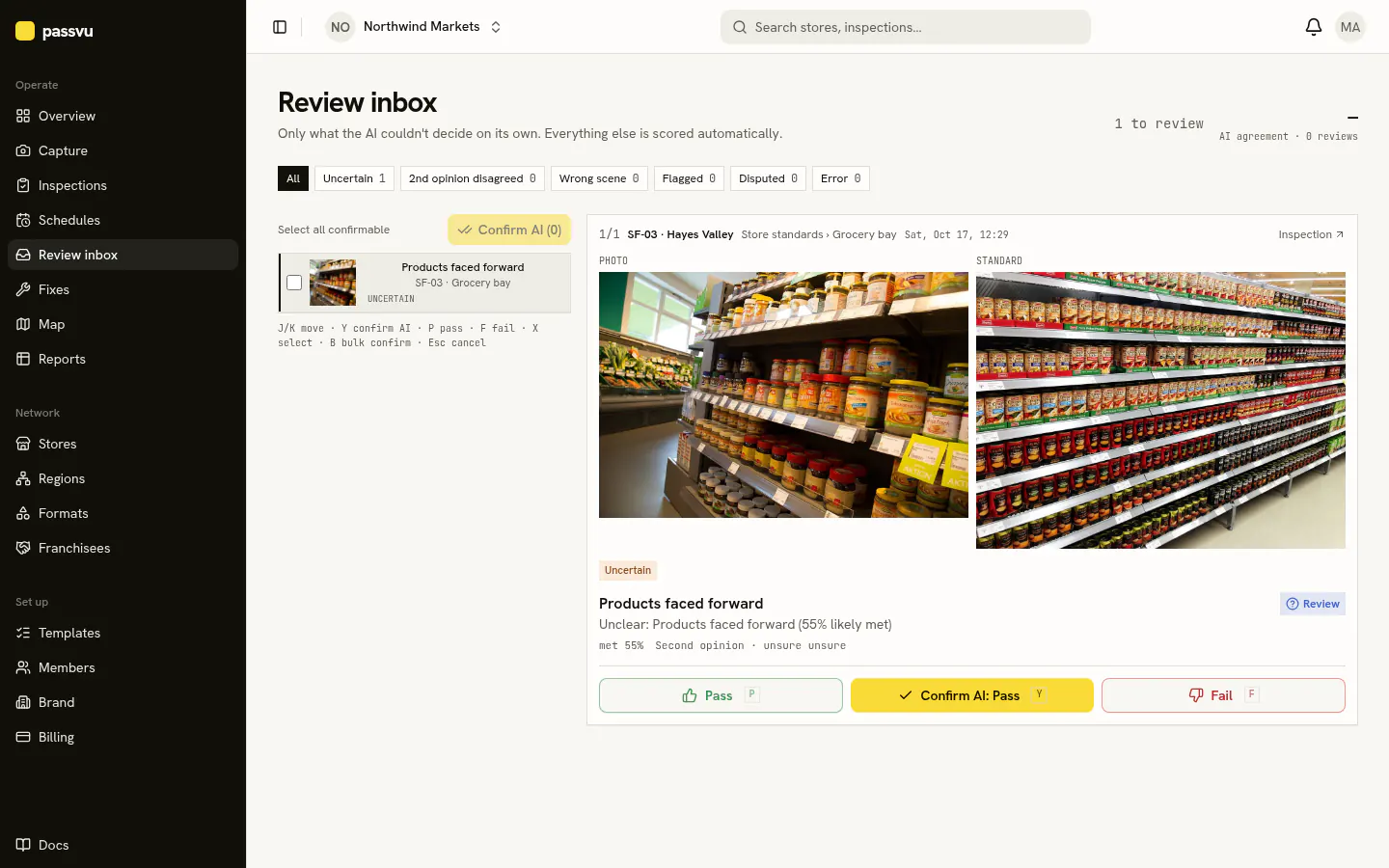
- 1Why it is here
- 2Items waiting for you
- 3How often reviewers agree with Passvu
- 4Accept the suggestion
Tap Confirm AI to accept Passvu's suggestion. The score updates right away.
Why a photo lands here
- Passvu wasn't sure.
- Something about the photo looked unusual, like it may not be from the store or from today.
- A store disagreed with a result and asked you to look again.
People have the final say
Your decision always wins. Passvu never changes a result you set.
Keyboard shortcuts
On a computer, press J / K to move, Y to confirm, P to pass and F to fail.
Last updated on