Fix issues and close them
Every failed item becomes a fix with an owner and a deadline.
When an item fails, Passvu opens a fix for the store. It goes to the store manager, or to staff if there's no manager.
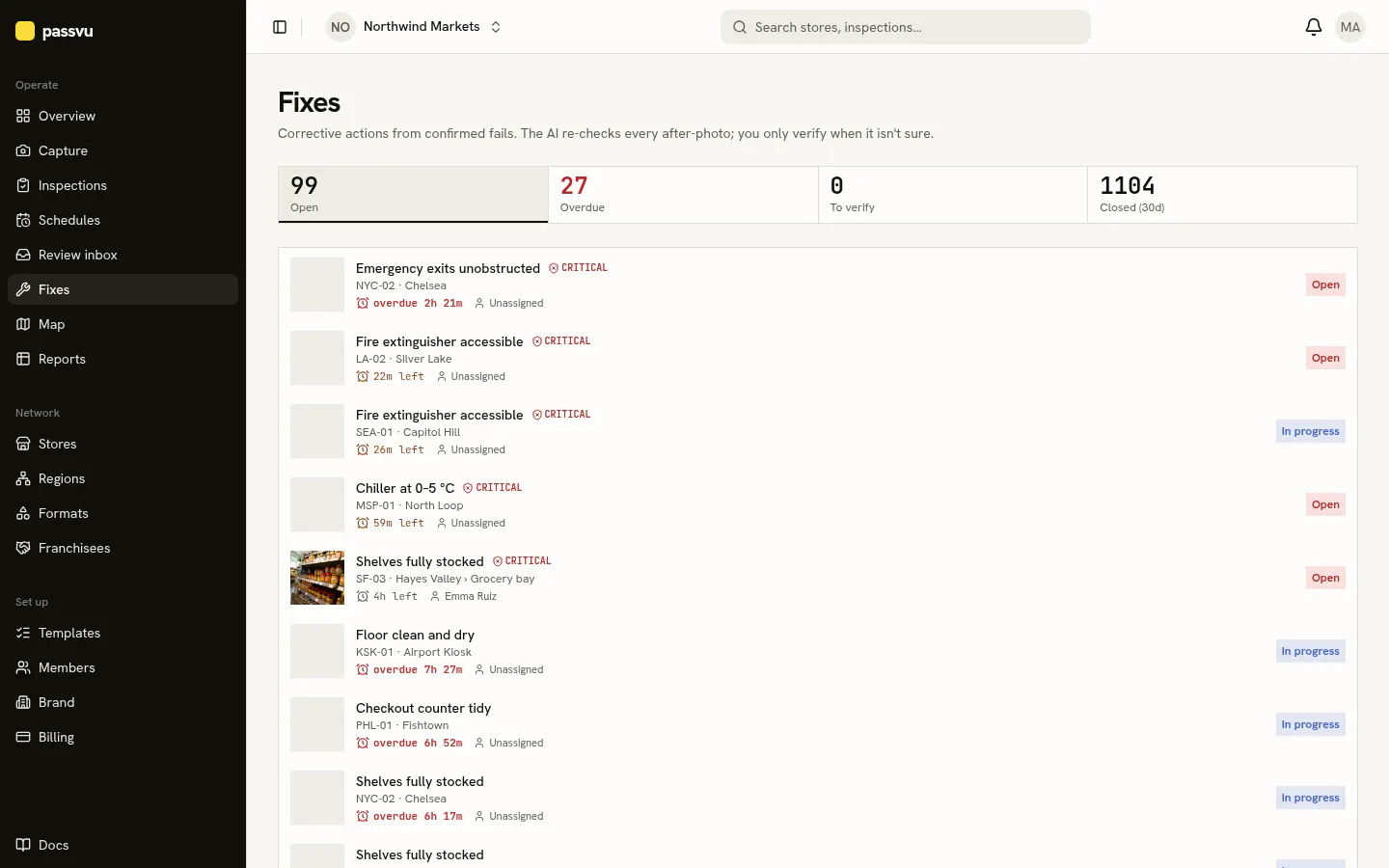
How long stores have
| How serious | Time to fix |
|---|---|
| Critical | 4 hours |
| Major | 3 days |
| Minor | 7 days |
Fixing it (store team)
Open the fix
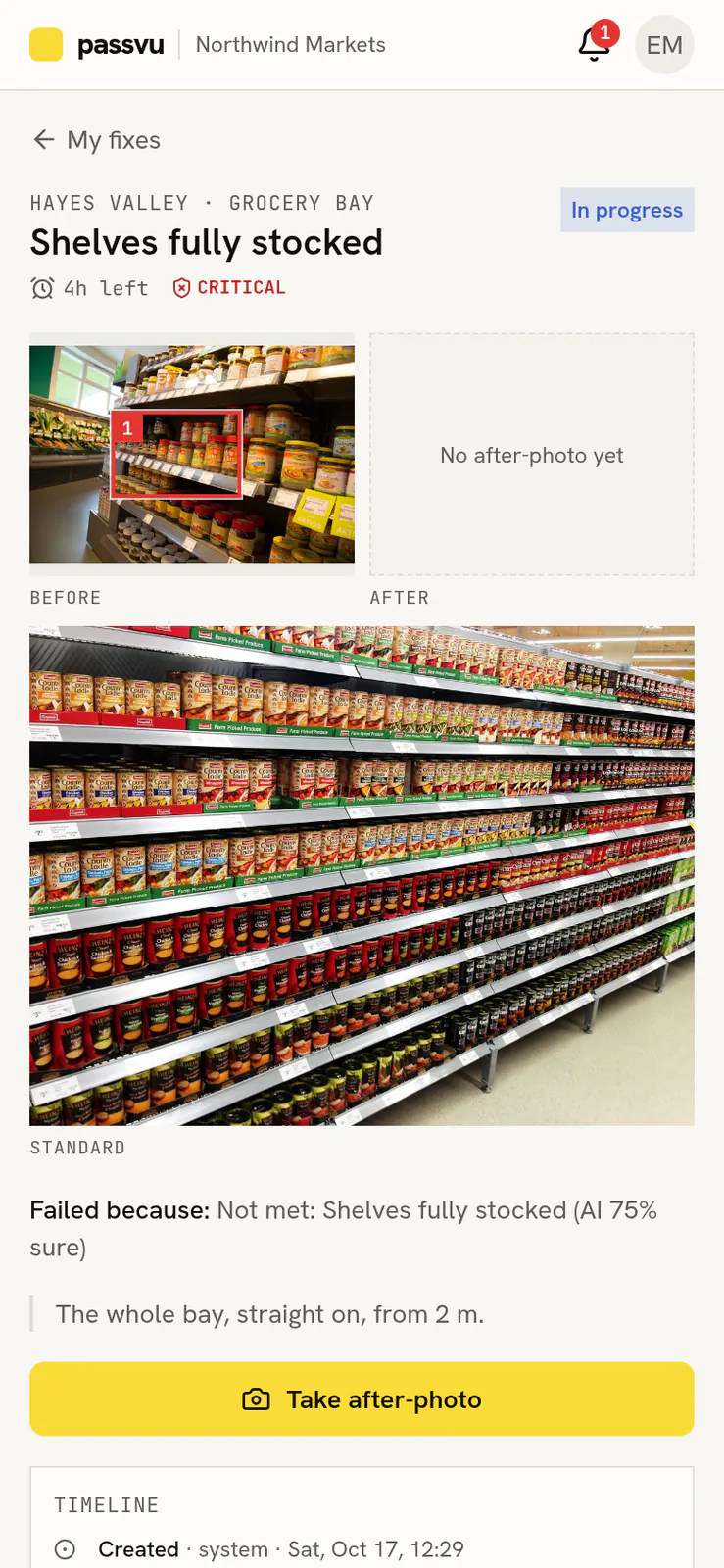
In Capture, tap the to fix button. You'll see the photo with the problem boxed, and how it should look.
Fix it and take an after photo
Tap I'm on it. Fix the problem, then take a new photo of the same spot.
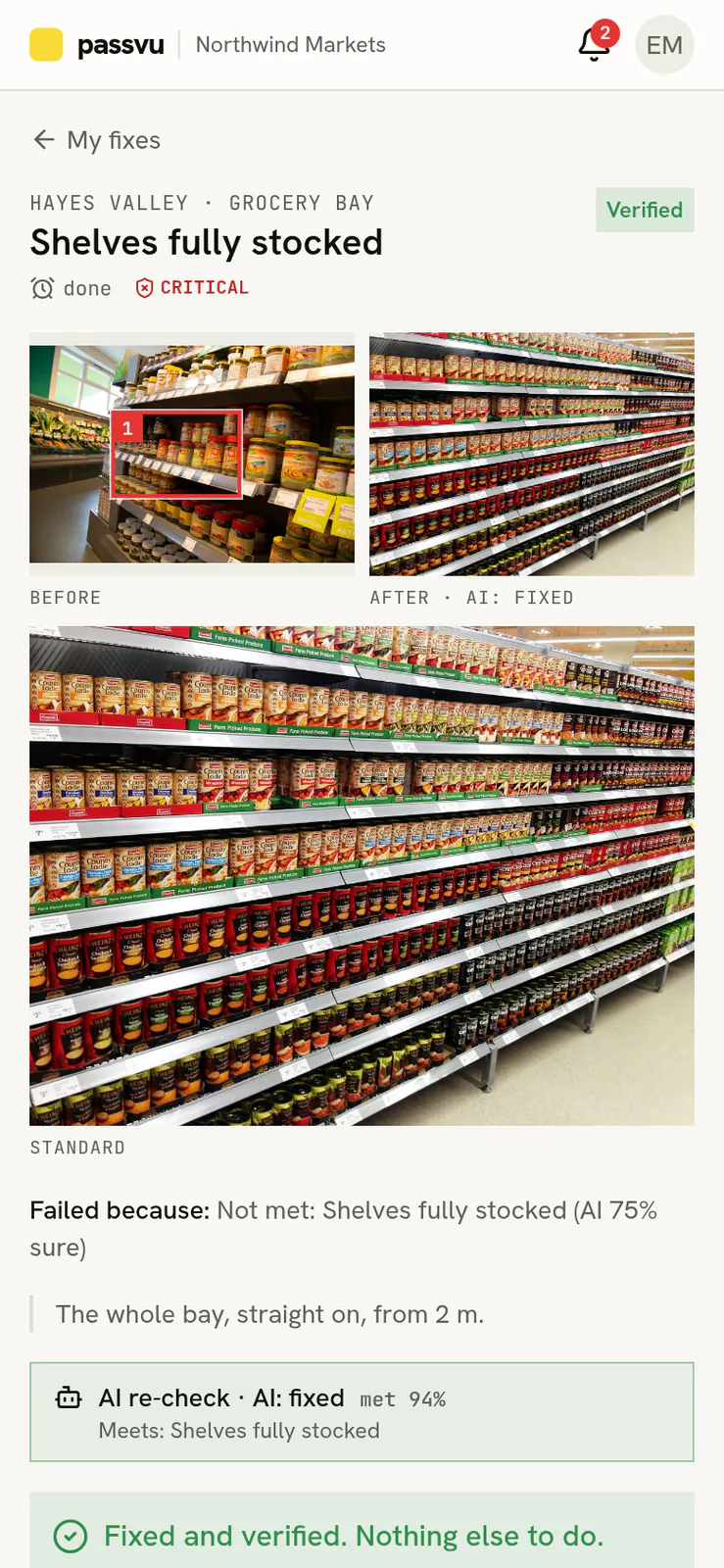
Passvu checks it
On Growth and above, Passvu checks the after photo. If it looks right, the fix closes by itself. If not, a manager decides.
Checking it (managers)
Open the fix to see before and after side by side. Close it, or send it back.
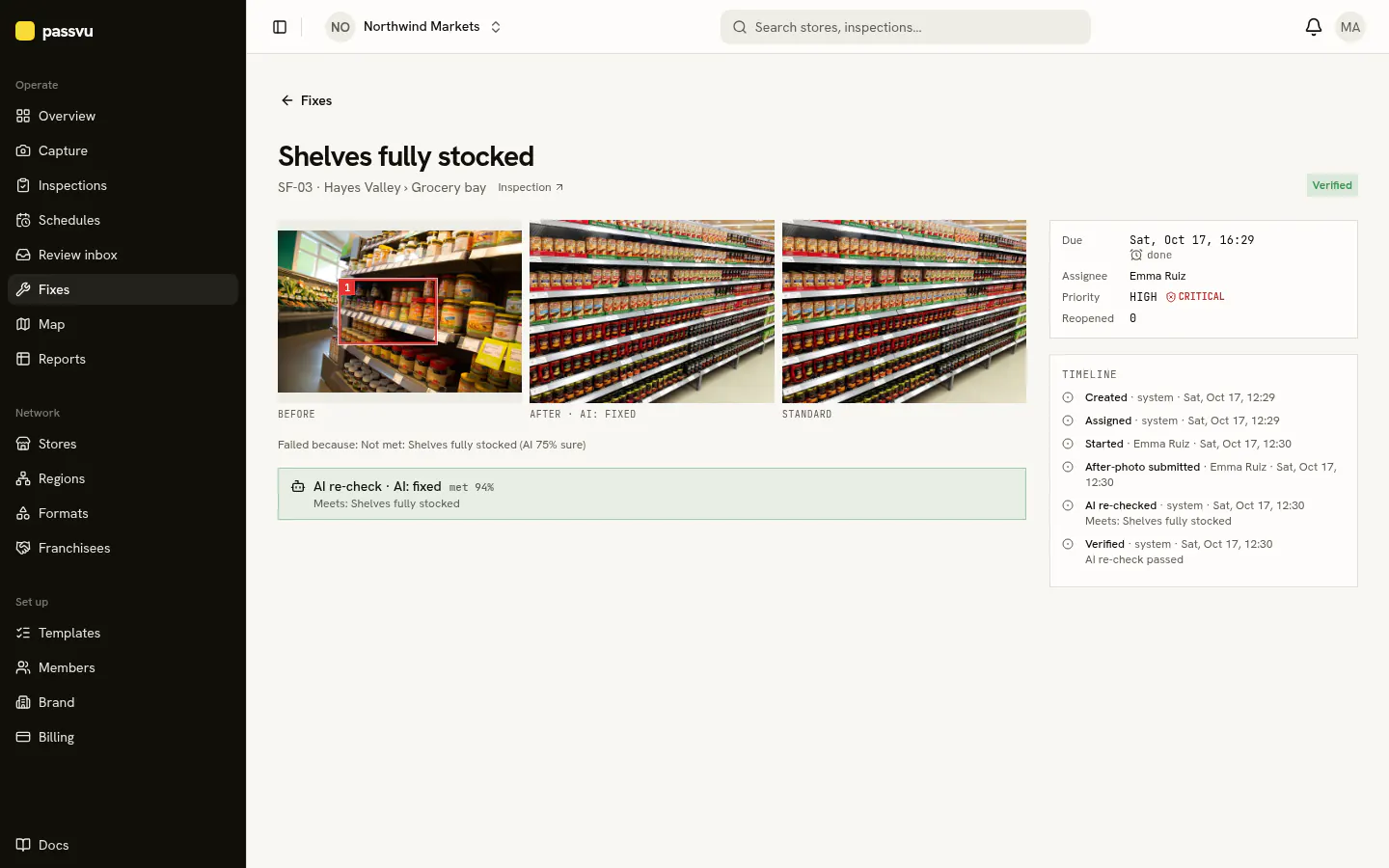
- 1Before
- 2After
- 3Passvu's check of the after photo
- 4Everything that happened
Late fixes
If a fix runs late, Passvu tells the next manager up. If it's still open a day later, it goes up again.
Disagree with a result?
Staff can tap AI got it wrong? on a failed item and add a note. A manager looks again. If they agree with the store, the item passes and the fix closes.
Last updated on