Invite your team
Add people, choose what they can do and which stores they see.
Every plan includes unlimited users. Invite everyone who needs Passvu.
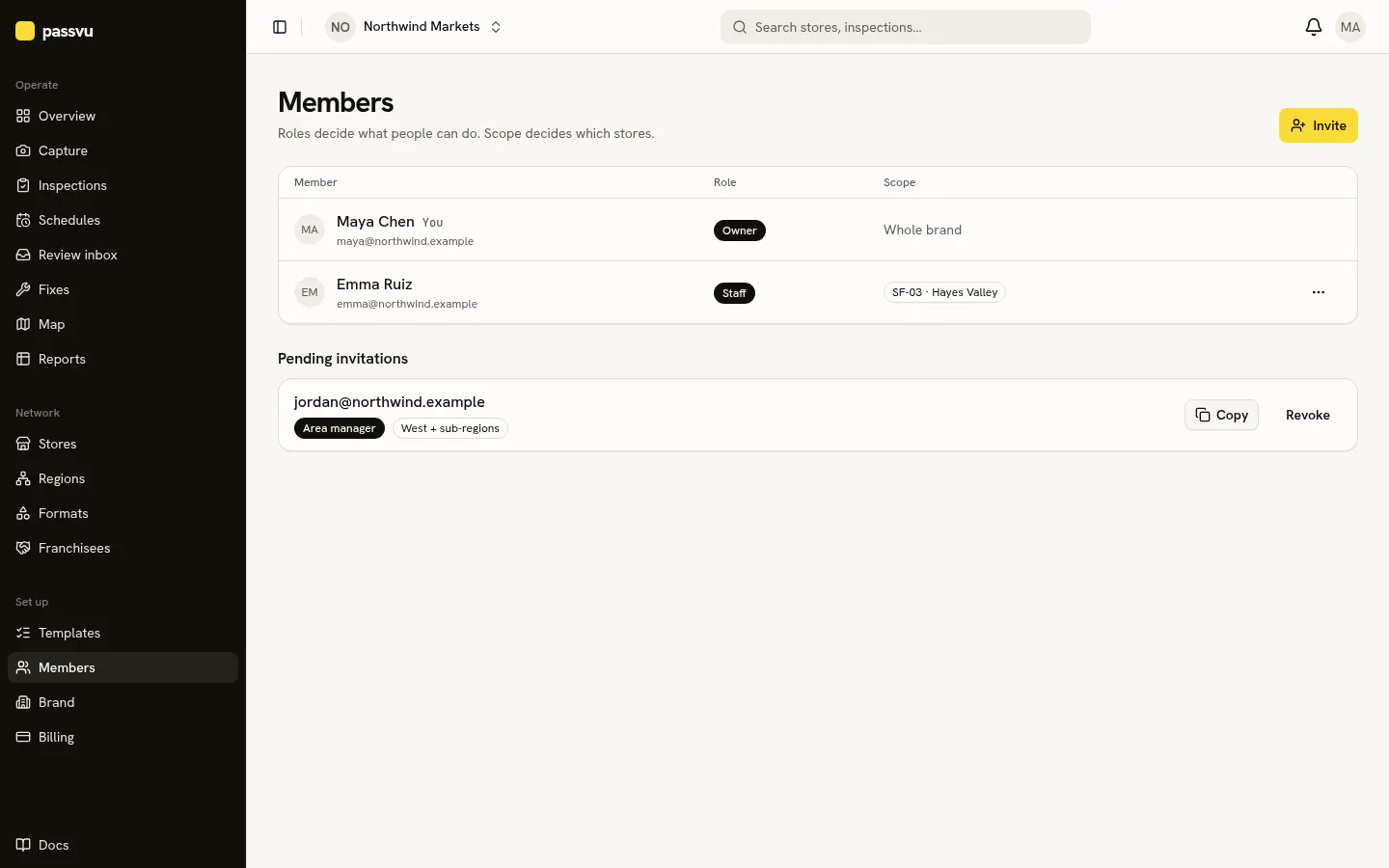
- 1Invite someone
- 2Each person, their role and their stores
- 3Invites not yet accepted
Go to Members → Invite
Enter their email. Pick a role (what they can do) and their stores (what they see).
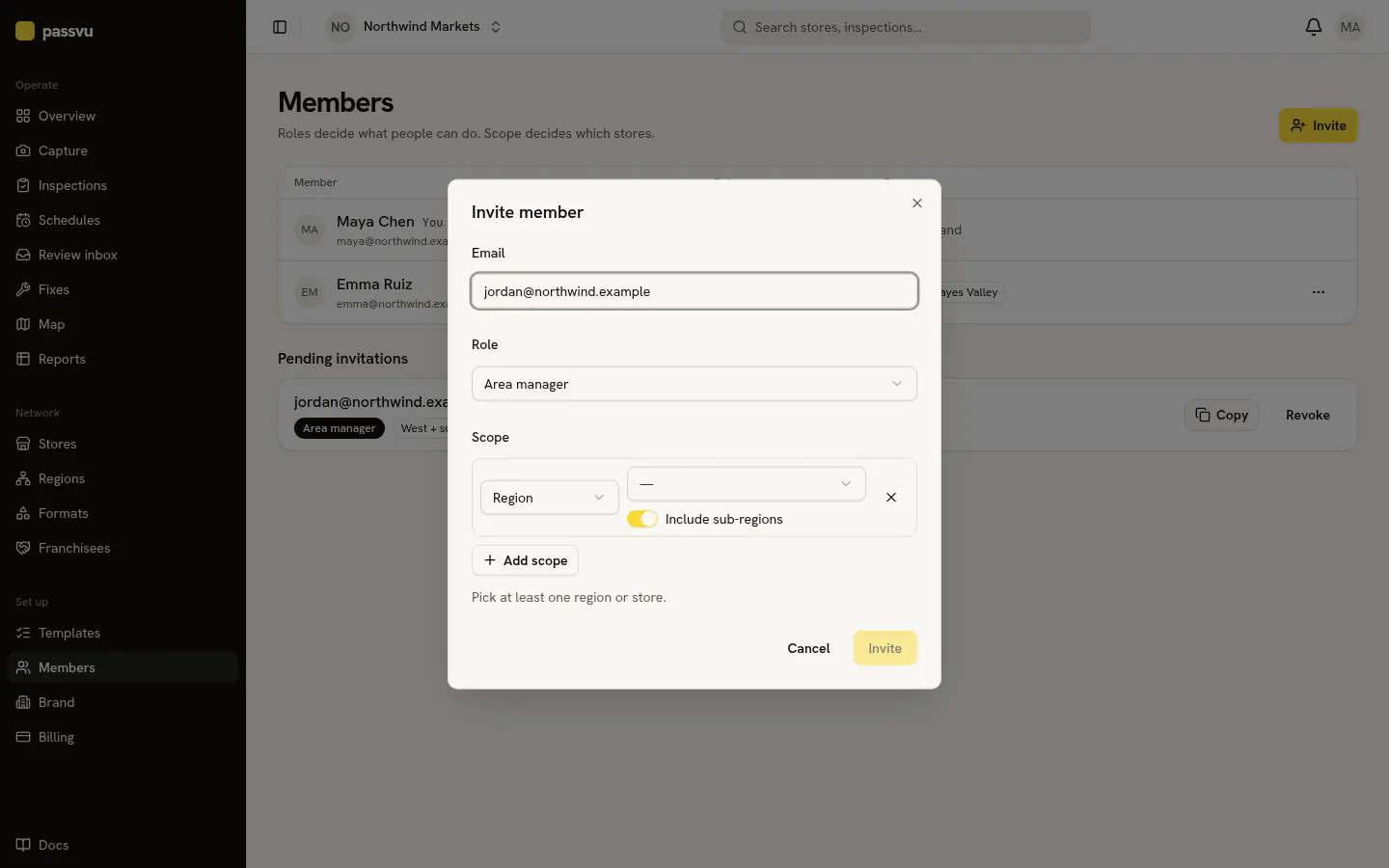
Send the link
Passvu makes an invite link. Send it by email or in your usual chat. They sign up or sign in, then tap Accept.
They're ready
Store staff open straight to Capture with only their store. Managers see their own stores on the dashboard.
Roles
| Role | Can | Usually sees |
|---|---|---|
| Owner | Everything, including billing | All stores |
| Admin | Everything except billing | All stores |
| QA manager | Checklists, schedules, review, reports | All stores |
| Area manager | Review, approve fixes, invite store teams | A region |
| Franchisee | Their stores' reports and fixes, invite their staff | Their stores |
| Store manager | Run inspections and fixes, invite staff | One store |
| Staff | Take photos, fix issues | Their store |
| Auditor | Take photos at stores they visit | A few stores |
| Viewer | Look, but not change | All stores or a region |
Managers can invite too
Area managers, franchisees and store managers can invite people to their own stores.
Last updated on